 Viszio Workspace
 Viszio Stitch
 Viszio MEP (beta)
 Viszio Docs (beta)
Every drawing and document, on your phone and PC.
Open PDFs, Word, Excel, PowerPoint and DXF files in the browser. Mark up and sign, measure drawings to scale and get the bill of quantities, with nothing to install and no sign-up.
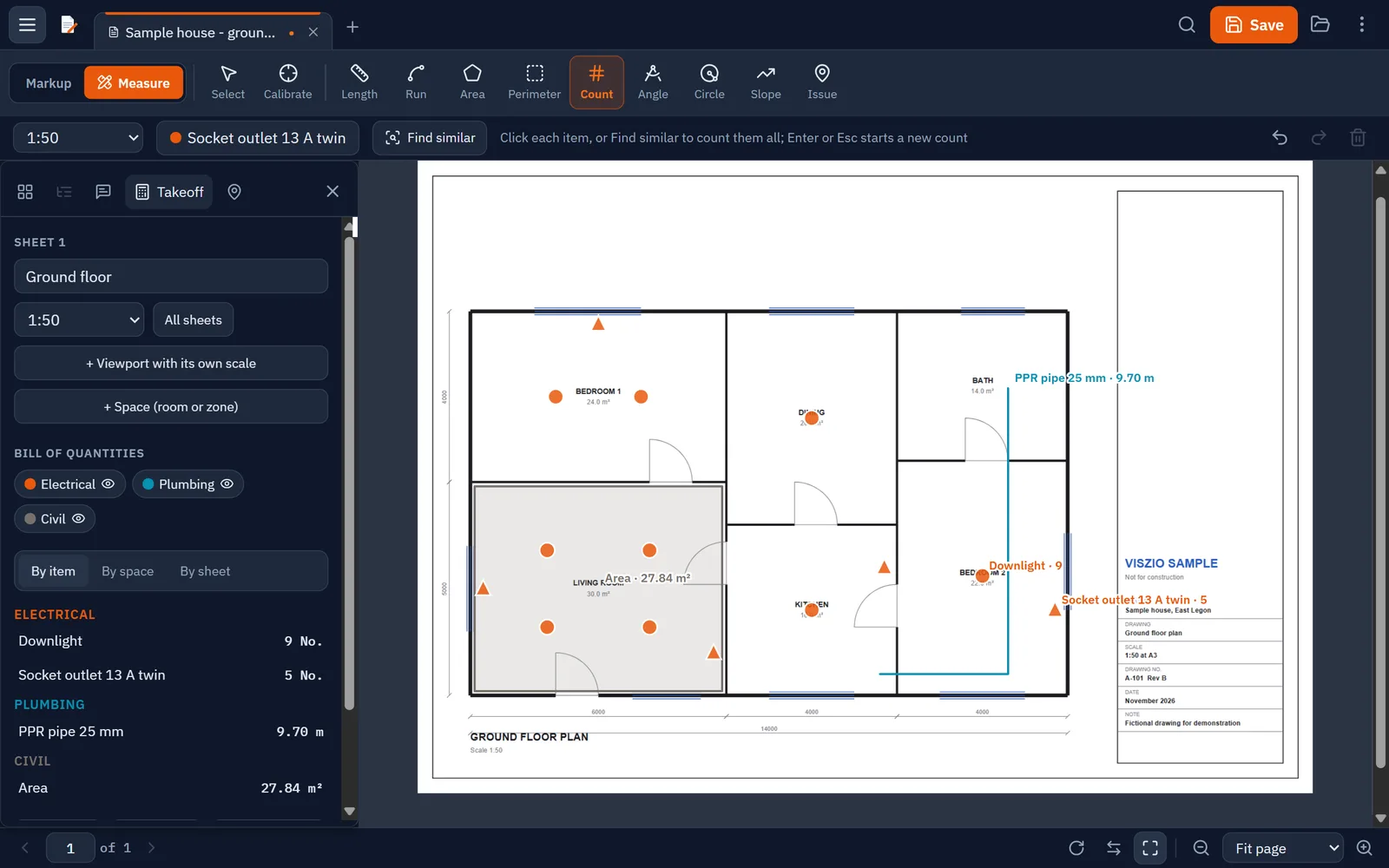
One app for the files that cross your desk.
Mark up and sign PDFs
Highlight, write, draw, clouds, arrows, stamps and numbered pins. Sign with your finger and keep your signature. Fill in forms.
Measure drawings
Set the sheet scale or calibrate from a known length, then measure lengths, pipe and duct runs, areas, perimeters, angles and slopes, and count symbols.
Bill of quantities
Every measurement filed under an item: pipes, ducts, trays, fittings and devices by trade. Add rates in cedis and export to Excel or a PDF.
Word, Excel and PowerPoint
Open, edit and create .docx, .xlsx and .pptx. Formulas recalculate, and anything the editor doesn't change stays in the file.
DXF drawings
Open CAD drawings saved as DXF, with layers and blocks. Draw with exact lengths and snap, move, copy and measure.
Pages and files
Rotate, reorder, combine and split pages, scan paper with the camera, recognise text in scans, make files smaller for WhatsApp, add a password.
Made for site, office and phone.
Files open on your own phone or computer. Nothing is uploaded, and there's no account to make.
After your first visit it opens without a connection: on site, in a plant room, on the road.
Measure on a phone with a magnifier under your finger, and sign and mark up by touch.
Markups are saved as standard PDF notes, so they show in Acrobat, Bluebeam, Chrome and Edge.
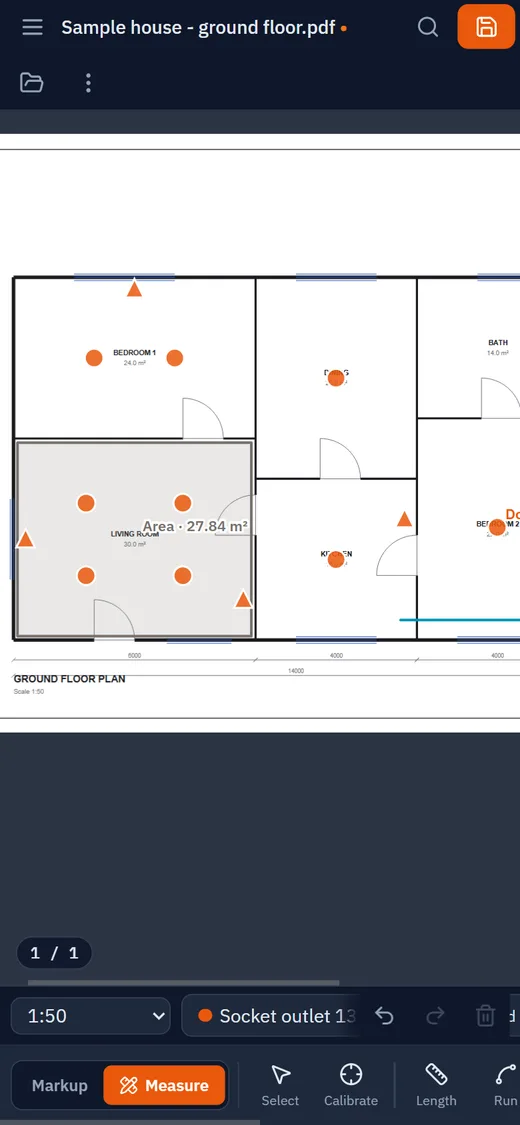
Use it like an app.
Viszio Docs runs in your browser, and you can add it to your home screen or desktop so it opens in its own window, even offline.
Open docs.visziotech.com in Chrome, tap ⋮, then Add to home screen or Install app.
Open it in Chrome or Edge and click the install icon at the right of the address bar.
Open it in Safari, tap the Share button, then Add to Home Screen.
Tell us what works, and what doesn't.
Viszio Docs is in beta. If something goes wrong, a file won't open, or a tool you need is missing, tell us here. Every message is read.
- Say what you were doing and what happened
- Mention your phone or computer and browser
- If a file won't open, say so and we'll ask you to send it if you're happy to
Frequently asked.
Is it free?
Yes, while it's in beta. No card and no sign-up: open the page and start.
Are my files uploaded anywhere?
No. Viszio Docs runs on your own device. Files are opened and saved there and never sent to us.
Does it collect anything?
Anonymous usage only: which file types, tools and features are used, and errors, so we can see what to improve. Never your files, file names or anything you type, and no account or name behind it. Switch it off in the menu under Share anonymous usage. See the privacy notice.
How do I save my changes?
In Chrome or Edge on a computer, Save writes straight back to the file you opened. On phones and in other browsers, Save downloads the changed copy.
Which browsers does it work in?
Chrome or Edge on a PC or an Android phone work best. On an iPhone or iPad use Safari, and tell us if anything doesn't work.
What can't it do yet?
In Word, headers, footers and text boxes are shown but can't be edited. Excel charts and pictures aren't drawn, though they stay in the file. PowerPoint has no slide show. DWG files and binary DXF don't open: save as an ASCII DXF first.